How To Install A Smart Thermostat For Optimal Efficiency
A practical step-by-step guide to How to install a smart thermostat for optimal efficiency, including preparation, instructions, common issues, tips, and next steps.
How To Install A Smart Thermostat For Optimal Efficiency
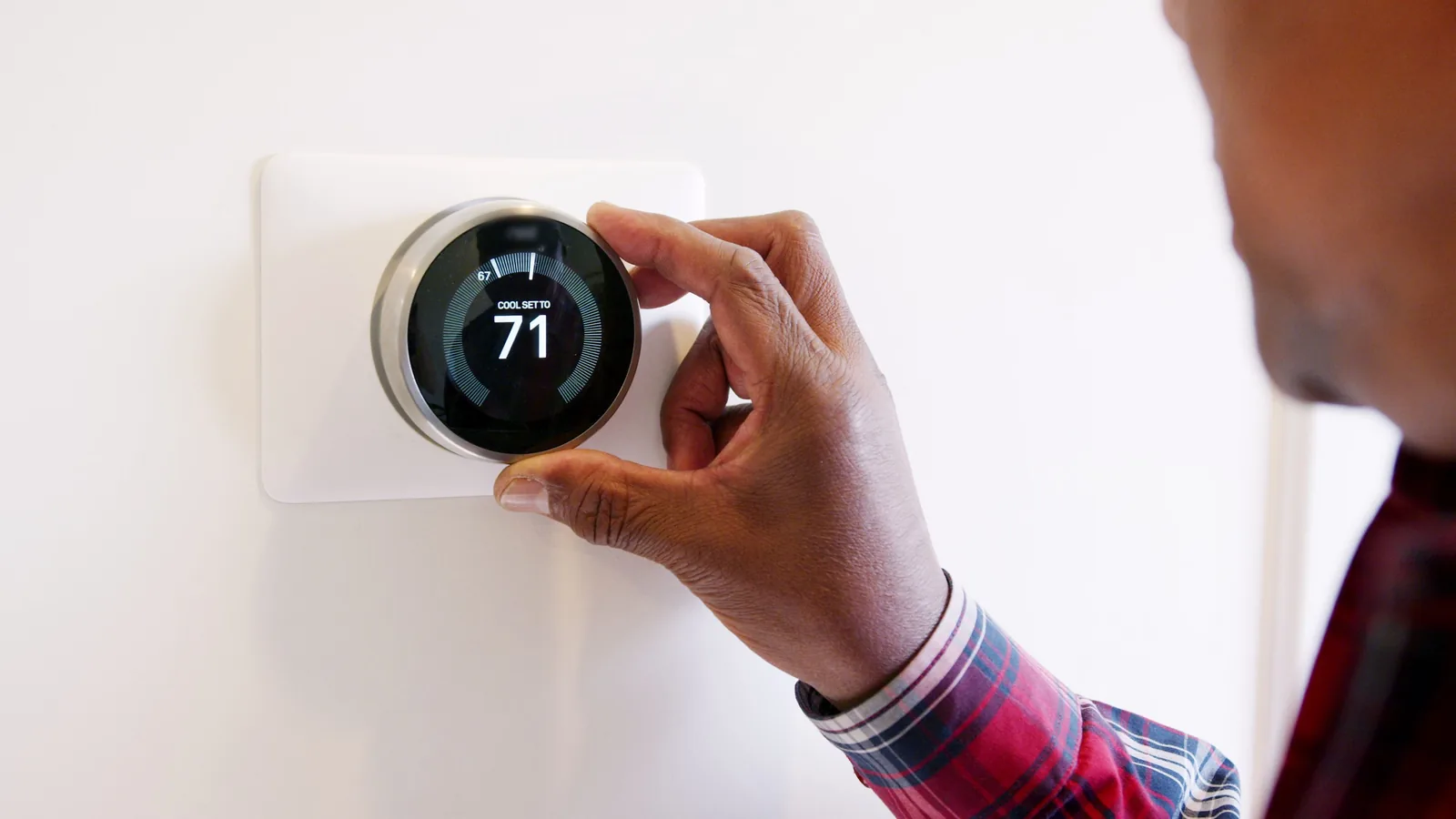
Installing a smart thermostat is a straightforward DIY project that can improve your home's energy efficiency and comfort. This guide walks you through preparation, safe installation, configuration, and testing so that your new device works reliably with your heating and cooling system.
Fast Answer
- Turn off power to your heating and cooling system at the breaker before you touch any thermostat wires, then verify the power is off with a voltage tester.
- Label every wire before disconnecting the old thermostat, and take a clear photo of the wiring so you can reconnect the new thermostat correctly.
Before You Start
- Gather tools: a screwdriver set, wire labels, a voltage tester, a drill with a small bit, and a level. Also have your phone or camera ready to take wiring photos.
- Check your heating and cooling system type and wiring compatibility by reviewing the manufacturer's instructions for the smart thermostat and your system's manual.
- Decide on a mounting location that is away from direct sunlight, drafts, doors, and heat sources, and that has a clear path for any needed low-voltage wiring.
- Confirm you have a reliable internet connection at the thermostat location and that your home Wi-Fi password is available, since most smart thermostats require network access for setup.
Step-by-Step Instructions
Turn Off Power and Verify Safety
Go to your main electrical panel and switch off the breaker that controls your heating and cooling system. This breaker may be labeled for the furnace, air handler, or air conditioner. After switching it off, return to the old thermostat and remove its cover. Use a non-contact voltage tester or a multimeter set to AC voltage to check each wire and terminal. Touch the tester to the exposed metal of each wire and to the terminals. If the tester lights up or shows voltage, stop and find the correct breaker. If no voltage is present, you can proceed safely. This check matters because thermostat wires carry low voltage that can still damage the device or give you a shock if the system is energized. Taking this step seriously protects both you and your equipment.
Label and Photograph the Existing Wiring
Before you disconnect any wire from the old thermostat, study the terminal labels. They are usually letters such as R, W, Y, G, C, and others. Take a piece of masking tape or use wire labels and wrap one around each wire, writing the corresponding terminal letter on the label. Then take a clear, well-lit photo of the wiring before you remove anything. The photo serves as a backup reference. Pull the wires gently out of the wall, being careful not to let them fall back inside. If a wire is too short, you may need to strip a small amount of insulation to expose fresh copper. Labeling and photographing prevent confusion later, because wire colors do not always match their function. This simple record saves time and reduces the risk of miswiring.
Remove the Old Thermostat and Mount the Base
After all wires are labeled and free, unscrew the old thermostat base from the wall. Keep the screws in a small cup or bag so they do not get lost. Examine the wall behind the old thermostat. You may find a larger hole than needed, or you may need to patch and paint. Next, take the new smart thermostat's wall plate or base and hold it against the wall, feeding the labeled wires through the center opening. Use a level to make sure it is straight. Mark the screw holes with a pencil. If the holes do not align with existing ones, drill small pilot holes and insert the provided wall anchors if needed. Screw the base plate securely to the wall, but do not overtighten. A level, secure mount ensures the thermostat sits flush and its temperature sensor reads accurately.
Connect the Wires to the New Thermostat
Consult the wiring diagram in your smart thermostat's installation manual. Match each labeled wire to the corresponding terminal on the new base. For example, a wire labeled R goes to the R terminal, W to W, and so on. The terminal letters may differ slightly between manufacturers, so always follow the manual for your specific model. Insert each wire into its terminal and tighten the screw or push the connector down firmly. Gently tug on each wire to confirm it is secure. If your old thermostat had a wire connected to a terminal that the new thermostat does not have, you may need to cap it with a wire nut and tuck it away. Do not let bare wires touch each other. Correct wiring is critical because a single misplaced wire can prevent the system from operating or cause damage.
Attach the Thermostat and Restore Power
Align the smart thermostat display unit with the base plate and press it firmly until it clicks into place or snaps onto the mounting tabs. Some models have a small screw on the bottom to secure the unit; tighten it if provided. Before restoring power, double-check that no bare wires are touching and that the unit is seated properly. Now go back to your electrical panel and switch on the breaker for your heating and cooling system. Return to the thermostat. It should power on. If it does not, check the breaker again and confirm the unit is fully seated. If it still does not power on, turn off the breaker and recheck your wiring connections. Restoring power only after the unit is fully assembled prevents short circuits and lets you confirm the installation is complete.
Configure Settings and Test the System
Follow the on-screen setup wizard on your smart thermostat. Connect it to your home Wi-Fi network using your network name and password. Set the date, time, and your preferred temperature units. Then configure heating and cooling setpoints, schedules, and any energy-saving features. After basic setup, test the system by changing the mode to heating or cooling and adjusting the setpoint a few degrees. Listen for the system to turn on, and check that air is flowing from your vents. It may take a few minutes for the equipment to respond. Test both heating and cooling if your system supports both. Also test the fan-only mode if available. This step confirms that your wiring is correct and that the thermostat communicates properly with your heating and cooling equipment. If something does not work, recheck the wiring or consult the manual.
Quick Reference
| Situation | Action | Why it helps |
|---|---|---|
| You are unsure which breaker controls your heating and cooling system | Turn off the main breaker for the entire house, then use a voltage tester on the thermostat wires to confirm no power is present before proceeding. | This guarantees safety when the panel is not clearly labeled and prevents accidental shock or damage to the thermostat while you work. |
| Your existing thermostat has a wire labeled C and your new smart thermostat also has a C terminal | Connect the C wire to the C terminal on the new thermostat, following the manual for your specific model, and ensure the connection is secure. | The C wire provides continuous power, which many smart thermostats need to operate reliably and to keep their internal battery charged. |
| After installation, the thermostat powers on but the heating or cooling does not start when you change the setpoint | Turn off the breaker, remove the thermostat from its base, and check that each wire is firmly inserted into the correct terminal according to your photo and manual. | A loose or misplaced wire is the most common cause of system failure, and rechecking connections often resolves the issue without professional help. |
Common Issues
- The thermostat screen is blank and does not turn on: First, confirm the breaker is on and that any power switch on the furnace or air handler is also on. Then remove the thermostat from its base and check that all wires are securely connected, especially the R and C wires if present. Reattach the unit and wait a minute. If it still does not power on, turn off the breaker and recheck the wiring against your photo and manual.
- The heating or cooling system turns on but never turns off, or it turns off too soon: Check the thermostat's location. If it is near a heat source, direct sunlight, or a draft, it may read the temperature incorrectly. Also review your schedule and setpoints to ensure they are correct. If the problem continues, consult the thermostat manual for calibration or sensor adjustment options, and verify that the system type is set correctly in the settings menu.
- The thermostat loses its Wi-Fi connection frequently: Move your Wi-Fi router closer to the thermostat if possible, or consider adding a Wi-Fi extender. Check that your network password has not changed. Also, ensure the thermostat is not mounted on metal or near thick walls that block the signal. You can usually find signal strength information in the thermostat's network settings. If needed, reset the network connection and re-enter your credentials.
Advanced Tips
- Use the thermostat's scheduling and geofencing features to automatically adjust temperatures when you are away or asleep, but test these features for a week to ensure they match your routine.
- If your system supports it, enable adaptive recovery or smart learning so the thermostat pre-heats or pre-cools your home before you arrive, improving comfort without wasting energy.
- Check for firmware updates in the thermostat's settings menu periodically; updates can improve performance, fix bugs, and add new features that enhance efficiency.
Final Checklist
- Power is restored and the thermostat display is on, showing the current temperature and mode.
- Heating and cooling both turn on and off correctly when you adjust the setpoint by a few degrees.
- The thermostat is connected to your Wi-Fi network and you can control it from its app or web portal if available.
- You have saved your wiring photo and manual for future reference, and you know how to turn off power before any future maintenance.
FAQ
Do I need a common wire for a smart thermostat?
Many smart thermostats require a common wire, often labeled C, to provide continuous power. If your existing thermostat does not have a C wire, check your thermostat's manual and your heating and cooling system's documentation to see if an alternative power method is supported, such as an adapter kit or a power-stealing mode. If you are unsure, consult a qualified technician before proceeding.
Can I install a smart thermostat myself?
Yes, many homeowners can install a smart thermostat themselves if they are comfortable with basic tools and follow safety steps. The most important part is turning off power at the breaker and labeling wires before disconnecting them. If your system has complex wiring, multiple stages, or you are unsure about compatibility, hiring a professional is a wise choice to avoid damage or safety hazards.
What should I do if my system does not respond after installation?
First, turn off the breaker and recheck all wire connections against your labels and photo. Ensure the thermostat is fully seated on its base. Restore power and try again. If it still does not work, verify that the thermostat is configured for your system type in its settings. If problems persist, contact the thermostat manufacturer's support or a qualified heating and cooling technician for assistance.